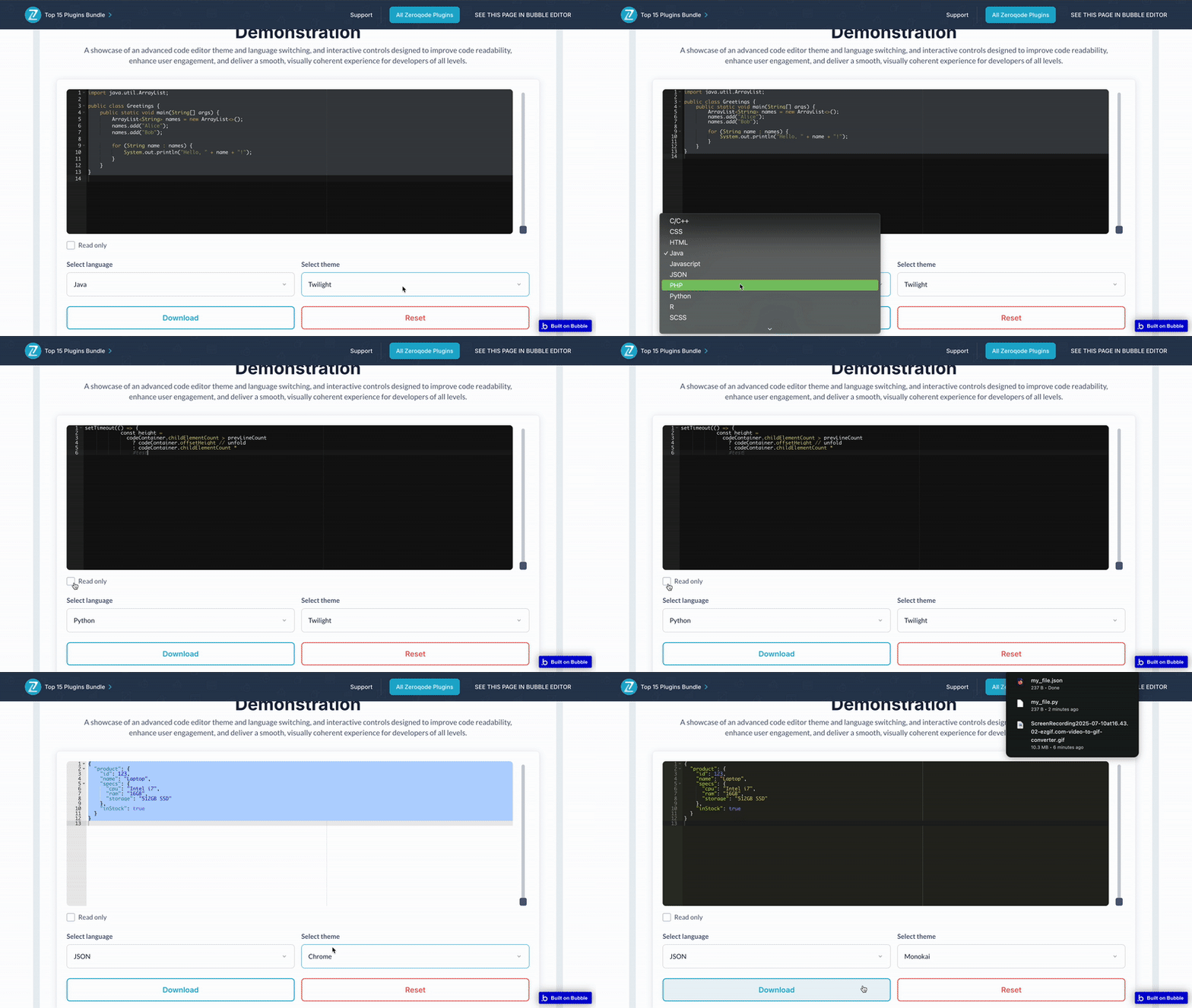
Edit and display code with configurable themes and languages, real-time line highlighting, read-only mode control, dynamic value updates, and code download with the correct file extension.



 ⚡ Main Functions
•
Editor Appearance Control. Customize font size, line height, theme, and language dynamically.
•
Syntax Highlighting. Support for 10+ programming languages.
•
Theme Management. Choose from 10+ themes, including dark mode.
•
Code Download. Download code with the correct file extension.
•
Editor State Actions. Set or reset code value, toggle read-only mode, and update theme or language.
•
Active Line Highlighting Highlight the current row in real time for better readability.
 Documentation
We’ve created a detailed step-by-step guide for the Advanced Code Editor+ #darkmode plugin. It includes a comprehensive overview of all features, practical use cases, and answers to frequently asked questions.
FAQ-
How do I set the language for syntax highlighting? Select a language from the dropdown menu or define it dynamically in the 'Dynamic language' field.
-
Can I enable dark mode in the editor? Yes, dark mode is available through multiple themes, which you can set from the theme dropdown or dynamically.
-
How can I make the editor read-only? Toggle the 'Read only' option to prevent users from editing the code.
-
Is it possible to download the code entered in the editor? Yes, use the 'Download File' action to save the code with its respective file extension.
-
Can I adjust the font size and line height? Yes, both font size and line height are fully adjustable and can be set dynamically for a tailored appearance.
 Our Similar Plugins
-
Code Syntax Highlighter-
Ace Code Editor-
Code Editor Snippet Support
If you still have questions or an unresolved issues, you can
contact us.
Risk-free TrialThe most risk-free way to try out this plugin is to subscribe to it. If you unsubscribe a few days later you will be charged on pro-rata basis, so for example if the plugin monthly price is $5 then you’d pay only 17¢ per day ($5/30 days)!
 Built on Bubble
